Try the new V3 interface and tell us what you think
A preview of the next Virtual Fly Brain interface is ready to test. Open it with one link, switch between the old and new layouts from the View menu, and send us your feedback from the Help menu.
A preview of the next Virtual Fly Brain (VFB) interface, V3, is now on the live site. We would like you to try it on your own work and tell us what helps and what gets in the way.
Nothing changes unless you choose it. VFB still opens in the layout you know, now called V2 default. The link above opens the same site, with the same data, in the new layout.
What is different in V3
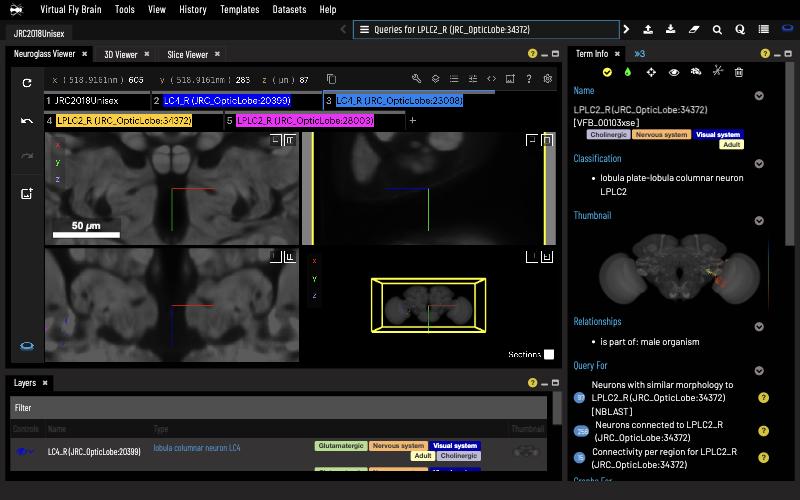
The V3 default view, with four optic lobe neurons loaded.
The V3 view puts the Neuroglass viewer first. It shows the template and your loaded neurons as slices in three planes next to a 3D view, in one window, with each loaded item as its own layer. The 3D Viewer and Slice Viewer are tabs behind it, Term Info stays on the right and the Layers list sits underneath.
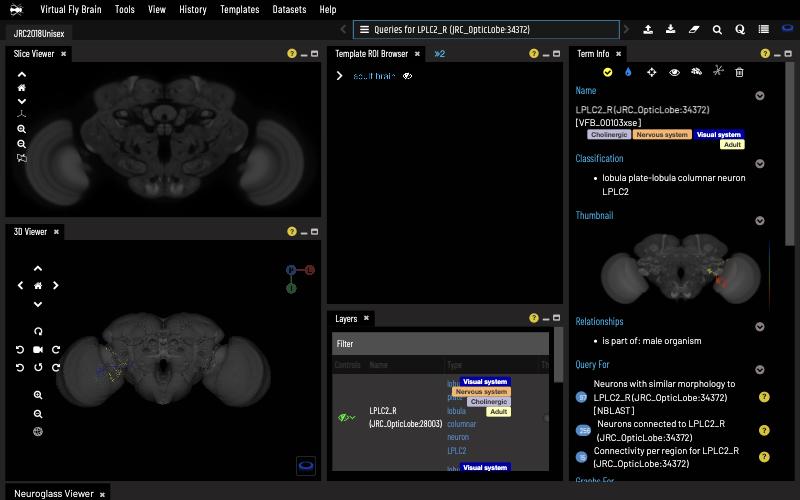
The same neurons in the V2 default view.
The View menu
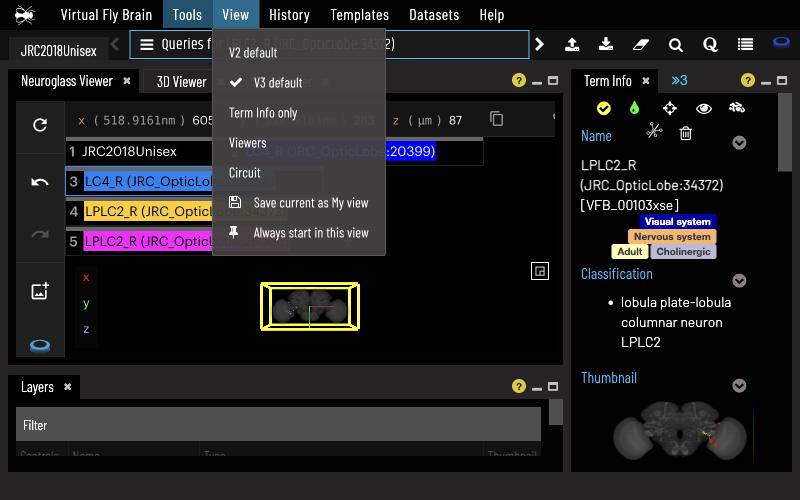
The new View menu in the top bar switches between layouts at any time:
- V2 default: the original three-column layout.
- V3 default: the new layout with the Neuroglass viewer.
- Term Info only, Viewers and Circuit: layouts for reading about a term, for looking at images, and for the Circuit Browser.
- Save current as My view: keeps your own arrangement of windows, in this browser, and adds it to the menu.
- Always start in this view: makes the current view the one VFB opens in. You can go back with Start in the V2 default view again.
A view only rearranges the windows. It never changes what you have loaded. Windows a view leaves out are parked in the bar at the bottom of the page, one click away.
You can also put a view in a link. Add &view=v3 to any VFB address to open it in the V3 view, or &view=v2 for the original layout.
Tell us what you think
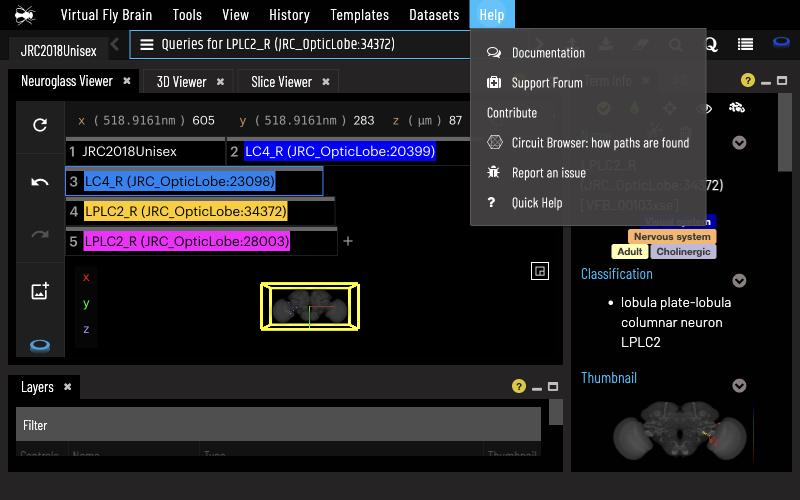
Choose Help > Report an issue from the top bar. The window that opens gives you two ways to reach us: email [email protected], or raise an issue on GitHub with the Create GitHub Issue button.
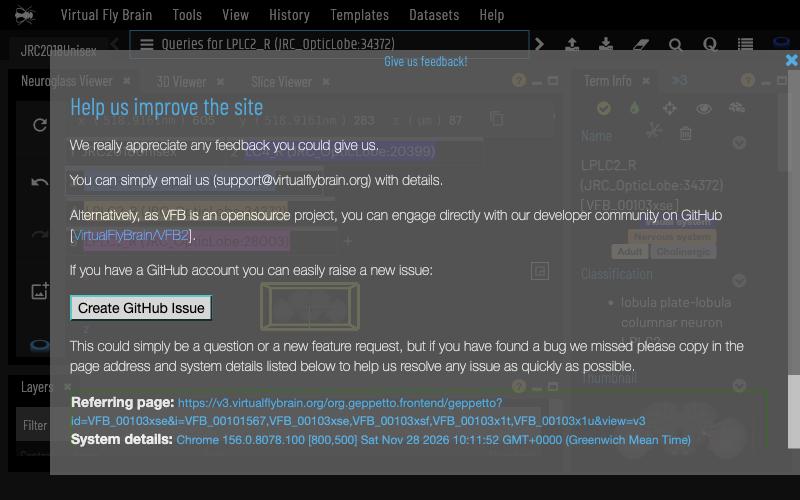
The window lists the page address and your browser details. Please include them, so we can see exactly what you were looking at. Questions and requests are as welcome as bug reports. We would most like to hear:
- what you were trying to do, and whether the V3 view made it easier or harder;
- anything you could do in the V2 view that you could not find in V3;
- anything that was slow, broken or confusing.
Also in this release
The Circuit Browser now finds paths between neuron types as well as individual neurons, shows which connectome each result comes from, and draws each path in its own lane.